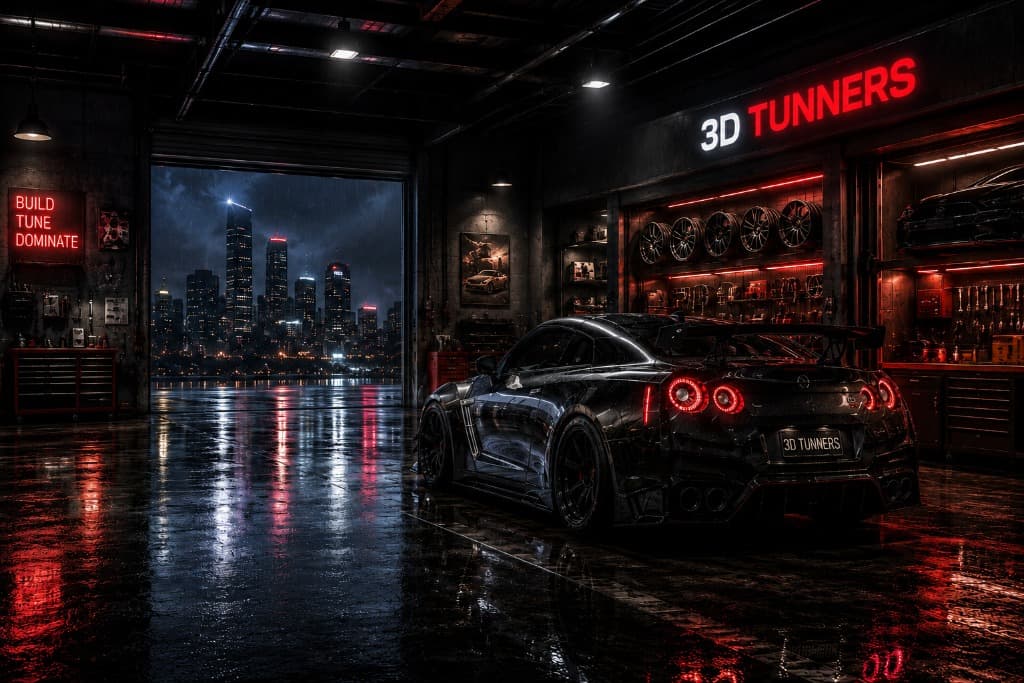
Forge Your
Dream Machine

Explore performance cars in interactive 3D and see every modification before committing to a build. Experiment with paint finishes, wheels, ride height, aero parts, exhausts and studio environments, with each change appearing instantly on the vehicle.

3DTUNNERS · Interactive vehicle studio
ToyotaNissanBMWAudiMercedesPorscheLamborghiniMcLarenFordDodgeChevroletHondaSubaruMitsubishiMazdaToyotaNissanBMWAudiMercedesPorscheLamborghiniMcLarenFordDodgeChevroletHondaSubaruMitsubishiMazda
Inside the project

Build, experiment and explore in real-time 3D

3DTUNNERS is an interactive project for exploring the visual direction of a performance-car build before parts, paint and stance choices are committed. It is useful for enthusiasts comparing ideas, designers testing colour and proportion, and anyone who wants a clearer reference than a folder of unrelated product photos. Choose a vehicle from the garage, open it in the Build Studio, then work through the paint, wheels, suspension, aero, exhaust and lighting options that are available for that model.

Interactive 3D makes those decisions easier to read together. A wheel design can be judged against the full body shape, a paint finish can be rotated through highlights, and a lower stance can be inspected from the front, side and rear rather than from one edited image. Environments also show how the same colour and material respond when the reflections around the car change.

The platform is actively being developed, so model detail and customisation coverage vary across the current vehicle list. 3DTUNNERS is built for visualisation and creative experimentation; it does not confirm mechanical compatibility, safe clearance or road legality. Real parts and installations should always be checked against the vehicle specifications and reviewed by qualified professionals.

From garage to finished concept

How 3DTUNNERS works

The workflow is deliberately simple: choose a base car, make one change at a time, and use the live viewport to understand how those choices work together.

  1. 01
    Step 01

    Choose a car

    Browse the garage and select one of the performance vehicles currently available. Each car opens as an interactive model, but the level of model-specific detail and the compatible visual options can differ while support is being refined.

  2. 02
    Step 02

    Customise the build

    Work through the available paint, wheel, suspension, aero, exhaust, lighting and environment controls. Changes are applied as you make them, so you can test a restrained road-car setup and a more dramatic concept without starting over.

  3. 03
    Step 03

    Inspect it from every angle

    Rotate and zoom around the vehicle while the material and geometry updates remain visible. Change the environment to check how reflections, colour and surface finish respond in a bright showroom, a darker workshop or an outdoor scene.

  4. 04
    Step 04

    Refine your setup

    Compare combinations, reset the configuration when an idea is not working, and keep adjusting until the visual direction feels coherent. The Save control stores a build in the current browser so it can be revisited from the garage on that device.

What the viewport is showing

Rendering choices you can actually compare

Physically Based Rendering

Paint is treated as a material, not a flat colour swatch. Metallic and non-metallic finishes use different metalness, roughness and clearcoat settings, while reflections help describe gloss, carbon-fibre and metal surfaces. The same finish can look brighter, darker or more reflective as the lighting changes, so comparing environments is an important part of judging a colour.

Instant Real-Time Updates

Supported paint, wheel, suspension, aero, exhaust and lighting changes appear in the viewport without reloading the page. That makes it practical to compare combinations and undo an idea quickly. Initial model loading can still take longer on complex vehicles or less powerful devices, and the experience works best in an up-to-date browser with hardware-accelerated WebGL.

Cinematic Environments

A showroom, night scene or outdoor setting does more than change the backdrop: it changes the reflections across the body and can alter how a paint colour is perceived. Switching scenes helps reveal highlights, roughness and contrast that one light setup may hide. These environments are creative visualisation tools, not exact simulations of real roads, weather or calibrated studio lighting.

Build controls

Every bolt. Every detail.

A convincing build comes from seeing the major choices together, not from choosing each part in isolation. Paint affects how the body lines read, wheel design changes the visual weight around the arches, and ride height changes the space between those wheels and the body. The Build Studio keeps those controls close to the viewport so you can make a change, rotate the car, and decide whether it supports the overall direction.

The available controls include colour and supported material finishes, wheel designs and rim colours, suspension type, ride height, camber, selected spoilers or wings, exhaust finishes, tint, lighting and environments. Coverage varies by vehicle because imported models do not all expose the same geometry or material structure. The tool does not calculate bolt patterns, wheel offset, tyre deformation, suspension travel or aerodynamic performance. Use it to form a visual brief, then confirm real dimensions and parts with the relevant manufacturer or a qualified installer.

Explore the customisation controls

Paint Lab

01

Colour · finish · material response

Try gloss and solid-style colours alongside metallic, matte, satin, pearl, candy, chrome and carbon finishes where supported. Roughness, metalness and clearcoat change the way each surface responds as you move between lighting environments.

Wheel Bay

02

Design · size · finish

Compare the wheel designs and rim colours available in the studio, then adjust the supported visual size. Wheel behaviour can differ between vehicle models, and an on-screen result should never be treated as confirmation of brake, suspension or arch clearance.

Aero Kit

03

Spoilers · wings · supported body parts

Preview supported ducktails, lip spoilers, GT wings and swan-neck designs together with the body treatment available for the selected model. Some imported vehicles have more limited geometry support, so unavailable or unfinished parts are not presented as real fitment products.

Stance

04

Ride height · camber

Adjust suspension type, visual ride height and negative camber where the model supports those transforms. A dedicated wheel-offset control is being developed and is not currently available. Real suspension travel, tyre clearance, alignment and local road rules must be checked separately.

WHY
From the creator

Why I built 3DTUNNERS

Car enthusiasts often have to picture a finished build from disconnected references. A wheel listing shows the wheel by itself, a paint sample is photographed under unknown lighting, and an aero part may only be shown on a different colour or setup. Most manufacturer configurators are designed around factory colours and trim, so they do not answer the question I kept coming back to: how will several modification ideas look when they are combined on one car?

I created 3DTUNNERS to make that early visual experiment easier. The project brings together my interest in cars with my work in web development, real-time graphics and interactive interfaces. Next.js handles the site, while Three.js and WebGL make it possible to move around a vehicle and update its materials and supported parts directly in the browser.

It is still a hands-on, actively developed project. Some cars are more complete than others, and each new model introduces different challenges in geometry, materials and performance. I would rather explain those limits than present the viewport as an engineering tool. The aim is to give people a useful place to explore a direction, learn what affects the look, and arrive at a clearer reference for the next stage of a build.

Learn more about the project
A clear boundary

Built for exploration, not engineering approval

Think of 3DTUNNERS as a visual planning and entertainment tool. It can help you decide that a darker wheel suits a bright paint finish, or that a particular ride height changes the attitude of the car in the way you wanted. It cannot guarantee that the same combination will physically fit, drive safely or comply with local rules.

Wheel and brake clearance can vary with width, offset, tyre choice and the exact vehicle. Suspension changes can alter alignment, available travel, handling and tyre wear. Aero and exhaust previews do not certify a part, predict performance or replace manufacturer instructions. Real installations should be measured and checked by qualified professionals who can inspect the actual car and the components being used.

Vehicle specifications, model files and the options shown in the Build Studio may change as the project develops. 3DTUNNERS is independent and is not affiliated with vehicle manufacturers unless that is explicitly stated. If something in the current catalogue looks incomplete, the contact page is the best place to report it.

Practical project notes

These guides explain the visual and technical ideas behind common choices in the configurator, along with the checks that still need to happen on a real vehicle.

Browse all guides
8 min readGuide

Wheel Offset and Fitment: A Practical Visual Guide

Wheel fitment is a relationship between width, diameter, offset, tyres, brakes and suspension—not a single number. This guide explains what to inspect in a visual concept and what still needs to be measured on the real car.

7 min readGuide

Coilovers vs Air Suspension: Choosing the Right Direction

Both systems can change ride height, but they reach that result in different ways and ask different things of the owner. Compare the visual, practical and maintenance questions before choosing a direction for a real build.

8 min readGuide

How PBR Car Paint Works in Real-Time 3D

A convincing digital paint finish is built from colour, roughness, metalness, clearcoat and the light around the car. Learn what each control contributes and why the same paint can look different between scenes and screens.

8 min readGuide

Tyre Size Explained: Width, Profile, Diameter and Fitment

Tyre numbers contain more information than they first appear to. Learn what width, aspect ratio and wheel diameter mean, how they work together, and what should be checked before choosing a different tyre size.

9 min readGuide

Camber, Toe and Alignment Explained: How They Change a Car's Stance

Camber and toe can dramatically change how a car looks, but alignment is about much more than stance. Learn what these angles mean and why real-world settings need proper measurement.

9 min readGuide

Body Kits, Splitters and Spoilers: What Actually Changes on a Car?

Splitters, spoilers, diffusers and body kits can transform a car visually, but similar-looking parts can serve very different purposes. Learn the differences before planning a build.

6 min readGuide

Car Wraps vs. Paint: Choosing the Right Finish

Vinyl wraps and traditional paint each have unique advantages. Learn about durability, cost, installation time, and how to decide which approach is best for your car.

7 min readGuide

Exhaust Systems Explained: Cat-Back, Axle-Back, and Headers

Upgrading your exhaust alters sound and performance. Understand the differences between axle-back, cat-back, headers, and full turbo-back systems.

5 min readGuide

Brake Upgrades for Street and Track Use

Learn how to improve your vehicle's stopping power, from simple pad swaps to full big brake kits, and understand what causes brake fade.

8 min readGuide

Forged vs. Cast Wheels: What's the Difference?

Discover how alloy wheels are manufactured. Compare the strength, weight, and cost of cast, flow-formed, and fully forged wheels.

10 min readGuide

Engine Tuning Basics: ECU Remaps and Piggybacks

An introduction to engine tuning. Learn how ECU remaps and piggyback modules unlock horsepower, torque, and better throttle response.

7 min readGuide

Carbon Fiber Parts: Form, Function, and Maintenance

Explore the use of carbon fiber in car tuning, from lightweight hoods and spoilers to interior trims, and learn how to maintain its clear coat.

Frequently asked questions

Useful answers, without the sales pitch

What the current build can do, what it cannot verify, and what to expect while the project continues to develop.

3DTUNNERS is a browser-based vehicle visualisation project built with Next.js, Three.js and WebGL. It lets you choose a supported performance car and explore combinations of paint, wheels, stance, aero, exhaust and lighting in an interactive viewport. The project is intended for creative experimentation and early visual planning rather than measurements, mechanical design or engineering approval.